Why Churches Overcomplicate Livestreaming
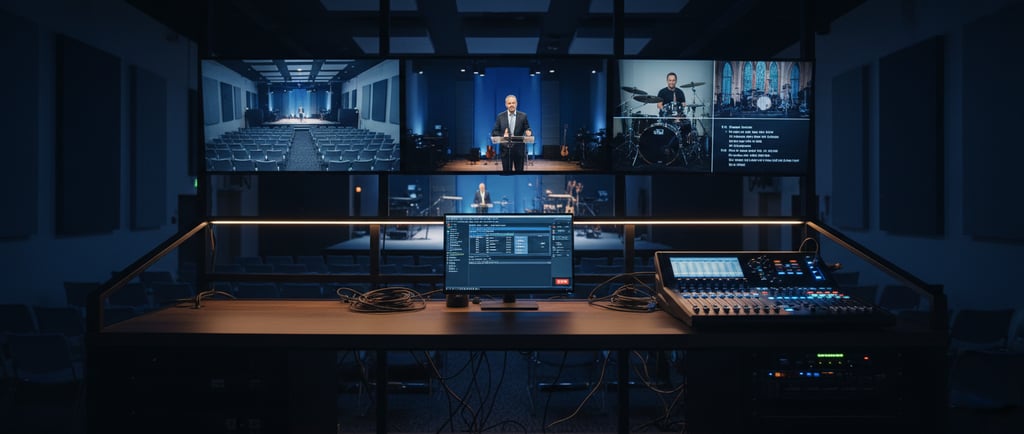
When livestreaming first entered the church world, many ministries copied what professional broadcasters were doing. Multi‑camera layouts. Animated overlays. Dedicated operators. High‑end audio gear. And while these systems work wonderfully for large churches with full‑time production staff, they’re unrealistic for the majority of congregations.
5/7/20265 min read
Most churches don’t have:
• a tech director
• multiple trained volunteers
• a large streaming budget
• extra time to manage complex workflows
And they don’t need all that, either. What they truly need is:
• clear audio
• a stable video feed
• a simple streaming platform
• minimal points of failure
Once a church stops trying to mimic a television broadcast and focuses on communicating clearly and consistently, livestreaming becomes drastically easier. That’s why the simplest reliable setup often performs better than an overly complex system—fewer cables, fewer technical issues, and fewer frustrations for the team.
Let’s walk through the 3‑step system that makes livestreaming both simple and effective.
Audio First: Because People Will Forgive Bad Video, Not Bad Sound
This is the most important principle in church livestreaming: if your audio is bad, people will stop watching. You can have a blurry video feed. You can have a single camera. You can have a simple stage layout. But if the audio is unclear, noisy, unbalanced, or distorted, the livestream becomes unwatchable.
Audio matters more than anything else because people primarily join livestreams to hear:
• worship
• preaching
• announcements
• prayer
• teaching
Even visually stunning livestreams cannot save poor audio quality. And yet, this is where most churches struggle the most—not because their equipment is bad, but because their system isn’t set up properly.
What Good Livestream Audio Should Sound Like
Good livestream audio is:
• clear
• even in volume
• easy to understand
• free of echo and excessive reverb
• not clipping, distorting, or noisy
• properly balanced between music and speaking
If your livestream audio sounds messy, thin, muffled, or echoey, your viewers will have a hard time staying engaged.
The Simplest Way to Improve Livestream Audio
The easiest, fastest, and most reliable way to get high‑quality audio to your livestream is through a direct feed from your sound system. Avoid using the camera’s built‑in microphone—it captures the room, not the mix. Instead, send your audio from:
• a dedicated livestream aux mix
• a matrix output
• an audio interface connected to your computer
This creates a clean audio feed that bypasses room noise entirely.
Even Better: Create a Dedicated Livestream Mix
If possible, use a separate mix for the livestream. Room sound and broadcast sound require different balance. For example:
• vocals may need to be louder online
• drums may need less low‑end
• speaking microphones need extra clarity
• reverbs should be reduced for livestream
A separate mix—controlled through an aux send, a matrix, or a secondary interface—ensures your livestream gets the clarity it deserves.
If you fix your audio first, your livestream feels immediately more professional, even with a basic camera.
One Camera Setup: The Power of Starting Simple
Most churches think they need multiple cameras to create an engaging livestream. But multi‑camera setups require:
• a switcher
• multiple operators
• knowing when to cut
• color‑matching cameras
• more cables, more points of failure
• significantly more volunteer hours
For many churches, this adds unnecessary complexity and stress.
The truth is simple: a single camera shot can look fantastic if placed well and lit effectively.
What a Good One‑Camera Setup Looks Like
A great one‑camera setup includes:
• a stable tripod
• a camera positioned 30–60 feet from the stage
• a medium‑wide shot capturing the entire platform
• a clean, well‑lit scene
• minimal movement or zooming
The goal is not cinematic switching. The goal is clarity. Keep the camera fixed during worship and speaking. Avoid panning unless absolutely necessary.
Why One Camera Works So Well
A single camera reduces volunteer needs dramatically. One person can handle the camera and the livestream computer—or even let the system run unattended if everything is stable.
With one camera:
• volunteers feel less overwhelmed
• the livestream is more consistent
• there’s less gear to troubleshoot
• training becomes easier
• the system is cheaper and more reliable
As your team grows, you can always add a second or third camera. But starting simple ensures you build a solid foundation first.
What Should You Use for the Camera?
You have options:
• a mirrorless camera (Canon, Sony, Panasonic)
• a camcorder with clean HDMI
• a PTZ camera (if you want remote control)
A basic camcorder or mirrorless camera on a tripod is more than enough. Prioritize:
• clean HDMI output
• ability to stay powered for long periods
• good low‑light performance
Even an affordable camera can produce excellent results if you light the stage well.
Simple Streaming Software: OBS Studio Is All You Need
Once your audio is clean and your camera feed is stable, you need software to send your stream to YouTube, Facebook, or your church website. The best beginner‑friendly option is completely free: OBS Studio.
Why OBS Is Perfect for Churches
OBS Studio offers:
• easy setup
• no cost
• rock‑solid stability
• scene switching
• audio monitoring
• support for overlays and lower thirds
• simple streaming controls
• compatibility with almost any hardware
Unlike more advanced broadcast software, OBS remains beginner‑friendly while offering enough flexibility for future expansion.
A Simple OBS Setup for Churches
Scene 1: Main Camera
Scene 2: Announcement Slide
Scene 3: Black Screen (for transitions)
You can optionally add:
• a sermon notes slide
• a worship lyrics slide (if needed)
• a pre‑service countdown
Even with just a single scene, OBS does exactly what you need—clean video, clear audio, and reliable streaming.
How OBS Keeps Livestreaming Simple
OBS reduces volunteer workload:
• no complex switching
• no expensive licensing
• no confusing interfaces
• quick training process
• very few failure points
In most churches, one volunteer can confidently run OBS after just one practice session.
Beginner Setup Example: The Simple “Starter Kit” for Any Church
Below is a beginner‑friendly setup that works for almost every small and medium‑sized church.
Equipment Checklist
Laptop
A reliable laptop with at least:
• i5 or Ryzen 5 processor
• 8–16 GB RAM
• SSD storageAudio Interface
This is how your soundboard connects to the computer. Examples:
• Focusrite Scarlett
• Behringer UMC202
• Steinberg UR seriesCamera
Any camera with clean HDMI will work. Something like:
• Canon Vixia camcorder
• Sony a6100
• Panasonic G7
• PTZOptics basic modelHDMI Capture Device
To get the camera feed into your laptop:
• Elgato Cam Link
• Generic USB capture cardTripod
A stable tripod is essential.Cables and Power
• HDMI cable
• XLR from mixer to interface
• Power adapters for camera and laptop
That’s it. No switchers. No complicated routing. No extra operators.
This setup is:
• affordable
• volunteer‑friendly
• easy to troubleshoot
• extremely reliable
• flexible enough to expand later
It delivers the most important thing: a clean, stable livestream viewers can actually enjoy.
Why This Simple System Works
This three‑step system is simple, but it isn’t simplistic. It reflects the core principles of effective livestreaming:
• Good audio keeps people listening.
• A stable single camera keeps the message clear.
• Simple software keeps volunteers confident.
Most livestream problems come from complexity—not from lack of gear. By removing unnecessary components, you strengthen the foundation of your livestream and make it more consistent week after week.
The result?
• fewer technical failures
• more confident volunteers
• a better experience for viewers
• a smoother Sunday morning
• a setup that grows with your church
When you master this simple system, you can always scale later. But most churches never need more than this—and they’re amazed how good their livestream looks once the basics are dialed in.
Conclusion: Anyone Can Run This System
Church livestreaming doesn’t need to be complicated. It doesn’t require a production team or specialized equipment. With solid audio, a simple one‑camera setup, and beginner‑friendly software like OBS, any church can create a meaningful, high‑quality livestream that serves their congregation well.
Start simple. Build confidence. Create consistency. And let your livestream support ministry—not become a burden.
With the right system, anyone on your team can run it.
Contact
Reach out for support or questions
Phone
freddy@pikksaarmedialabs.com
+372 56681090
© 2026. All rights reserved.
Refund policy