
Why Most Church Sound Systems Sound Bad (And How to Fix It)
Most churches don’t have a gear problem — they have a system problem.
5/14/20265 min read
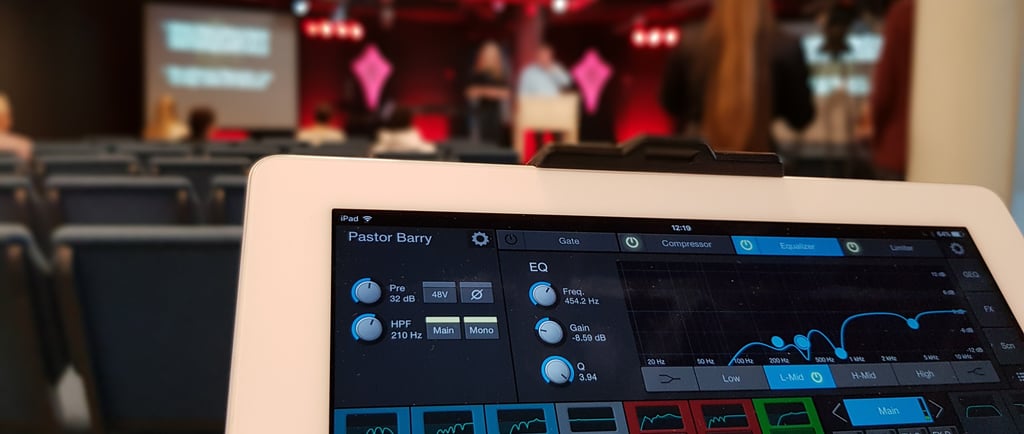
Most churches think their audio problems come from cheap microphones, old speakers, or a mixing console that “needs an upgrade.” But the truth is simpler and far cheaper to solve: most churches don’t have a gear problem — they have a system problem. When the system isn’t set up correctly, even the most expensive equipment will sound bad. And when the system is set up correctly, even budget gear can deliver clean, powerful, professional audio.
Let’s break down the four biggest issues that cause churches to struggle with poor sound, and exactly what to do to fix them.
Poor Gain Staging: The Silent Killer of Church Audio
If there’s one issue I see more than anything else, it’s this: the sound system is loud, but the microphones are quiet, and the faders are pushed nearly all the way up. The result? Noise, distortion, and a mix that feels thin, brittle, and unpleasant.
Why It Happens
Most volunteers assume the fader controls “volume,” and the gain knob is something only professionals should touch. So they leave the gain low, turn the fader up, and create the perfect storm of:
• increased noise
• low headroom
• muddy or hissy audio
• inconsistent levels week to week
In many cases, the gain knob has never been touched since the system was installed.
What Proper Gain Staging Actually Does
Good gain staging sets the input level before the fader so that the signal is strong, clean, and ready to mix. When done correctly:
• microphones sound clearer
• vocals cut through without harshness
• faders sit comfortably around unity (0 dB)
• compressors and EQ respond properly
• the entire mix becomes easier to control
The Fix: A Simple Gain‑Setting Workflow
Step 1: Turn the channel fader to unity (0 dB).
Step 2: Have the vocalist speak or sing at normal level.
Step 3: Raise the gain until the input meter hits a healthy yellow level (not red).
Step 4: Add compression if needed.
Step 5: Fine‑tune with EQ and fader later.
This one change alone can radically improve a church’s entire audio experience.
EQ Problems: Too Much Mud, Too Much Harshness
After gain staging, the next major issue is EQ. The most common mistake in church audio is boosting frequencies instead of cutting them. Boosting makes everything louder, messier, and less controlled. Cutting, on the other hand, creates space and clarity.
The Mud Frequency: The #1 Offender
Most churches struggle with muddy, boxy vocals and instruments. This typically comes from too much low‑mid buildup in the 200–500 Hz range. This frequency area tends to accumulate due to room acoustics, mic technique, and overlapping instruments.
The Fix: Cut Before You Boost
When in doubt:
• Cut 3–6 dB around 250–350 Hz on vocals
• Cut 3–6 dB around 200–400 Hz on acoustic guitar
• High‑pass filter everything that isn’t a bass instrument
• Use narrow cuts for problem frequencies
• Use broad boosts only sparingly, if at all
A Simple Rule That Fixes 90% of EQ Problems
If something sounds muddy, cut low‑mids.
If something sounds harsh, cut high‑mids.
Boost only when you’ve removed the problem areas first.
This approach immediately makes mixes sound more open, natural, and intelligible.
Room Acoustics: The Room Is Louder Than the Mixer
A church can have perfectly set gain and beautifully EQ’d vocals… and still sound terrible. Why? Because the room itself is fighting the mix.
Church buildings often have:
• high ceilings
• hard walls
• tile floors
• lots of glass
• minimal acoustic treatment
These features are great for architecture and terrible for sound clarity.
Reverb and Echo Kill Intelligibility
When your room is too reflective, the sound doesn’t just go forward from the speakers—it bounces everywhere. This creates:
• long reverb tails
• echo
• muddy vocals
• unclear speech
• a confusing listening experience
Most people assume the solution is “turn it up.” But turning up the volume only increases reflections, making the problem worse, not better.
Simple, Affordable Acoustic Fixes
You don’t need to redesign your building. Small changes make huge improvements.
Try these:
• Add carpets or rugs in high‑reflection areas.
• Use curtains or drapes on back and side walls.
• Place acoustic panels behind the stage and along walls.
• Position speakers to point directly at the congregation, not the ceiling.
• Avoid placing speakers in corners, where reflections build up.
Speaker Placement: The Overlooked Fix
You can dramatically improve clarity just by adjusting speaker placement:
• Aim speakers downward toward the listening area.
• Ensure left and right speakers aren’t firing into bare walls.
• Keep speakers in front of microphones to reduce feedback.
And the best part? These improvements require very little money, but they deliver massive results.
Volunteer Training: The Real Root Problem
Most church sound systems aren’t run by professionals. They’re run by faithful volunteers doing their best with limited training. This is both the beauty and the challenge of church media ministry.
Why Training Matters More Than Gear
A well‑trained volunteer can make a $1,000 system sound great.
An untrained volunteer can make a $100,000 system sound bad.
Training is the multiplier that makes everything else work.
Common Volunteer Struggles
• Not knowing what knobs actually do
• Fear of touching gain or EQ
• Lack of confidence mixing vocals and instruments
• No clear process for Sunday morning setup
• Inconsistent audio week to week
The Fix: SOPs + Checklists
The most successful churches treat media like any other ministry: with structure.
Create:
• A clear Standard Operating Procedure (SOP) for sound checks
• A weekly mixing checklist
• Pre‑service testing checklist (mics, batteries, cables, livestream audio)
• A volunteer training schedule
• A quick‑reference guide for EQ and gain staging
When volunteers have a roadmap, they perform with confidence — and the entire team becomes more consistent.
Empower, Don’t Overwhelm
Training doesn’t need to dump massive technical details on volunteers.
Focus on the 20% of audio knowledge that produces 80% of results:
• gain staging
• EQ basics
• compression basics
• signal flow
• troubleshooting common issues
With these skills alone, the audio quality jumps significantly.
Bringing It All Together: A System, Not a Console
Churches often chase new equipment hoping it will “fix” the sound. But audio quality isn’t determined by gear alone. It comes from a system that is:
• gain‑staged properly
• EQ’d intelligently
• supported by a good acoustic environment
• run by trained volunteers with good tools
When these four pillars work together, the mix becomes clearer, more consistent, and more impactful. Worship feels bigger, speech becomes easier to understand, and the entire congregation benefits.
Bonus: Quick Wins You Can Apply This Sunday
If you want fast results without spending money, here are simple changes you can make immediately:
• Re‑gain‑stage all microphones.
• High‑pass filter vocals, guitars, and keyboards.
• Cut low‑mids on any muddy channel.
• Lower stage volume to reduce feedback.
• Move speakers a few degrees to avoid reflective surfaces.
• Teach volunteers a 5‑step soundcheck routine.
These steps alone can transform the mix.
Conclusion: You Can Fix Your Sound System Without Buying New Gear
Improving church audio doesn’t start with replacing gear — it starts with understanding the system. When you fix gain staging, EQ, acoustics, and training, everything gets better. Volunteers feel confident, worship feels powerful, and your congregation hears clearly.
The best‑sounding churches aren’t the ones with the biggest budgets. They’re the ones with the most intentional systems.
If you build the system, the sound will follow.
Contact
Reach out for support or questions
Phone
freddy@pikksaarmedialabs.com
+372 56681090
© 2026. All rights reserved.
Refund policy